Monitor resolution - scaling and staring position
Greetings,
I’d like some help with the following:
Issue description:
I’m using three monitors with different resolutions that are arranged in
a non‑standard configuration. I have made use of both the monitor settings and
the Workspace property “Local Service Engine size” to force it to a 1080p
resolution. Despite this, only the primary monitor displays the correct
resolution. Service Engine always opens on Monitor 1, and when I move them to
another monitor using Win + Arrow combo key, the resolution becomes
incorrect on the other screens.
Monitors:
2 - 1920 x 1080
3 - 2560 x 1440
1 – 2560 x 1600 – also main monitor
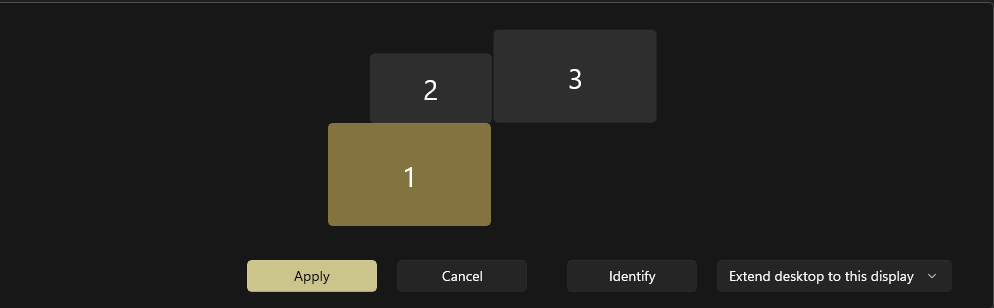
Monitor 2 and 3 have 100% scaling, but monitor 1 has
125% scaling.
System info:
OS: Win 11
zenon: 15; build 481184
Solutions tried:
- Leaving “0” on workspace = wrong scaling (it’s bigger then the 1080p resolution)
- Scaling on Monitor 1 to 100% = works, but then Monitor 1 difficult to use – it’s the laptop screen
- Works if I move the main monitor to Monitor 2; but I’d like the Monitor 1 to be the Primary monitor
- Different configurations in Monitor Administration
- 1600p Main resolution
- No checkbox on auto-scaling
- Only auto-scale; no checkbox on aspect ratio
My ideal solution would be that Monitor 1 as Primary monitor
and Monitor 2 is the monitor where the Service Engine starts.
Any recommendation is most welcome.
Regards,
Aleksej